Download AI File Sorter 1.7.3
Tired of digging through cluttered folders? Let AI File Sorter handle it for you - now with powerful local and cloud-based AI models plus visual image analysis.
Built in blazing-fast C++ with a modern Qt interface, AI File Sorter analyzes your files fully offline using local models like LLaMA 3B and Mistral 7B - no internet required. Version 1.7.3 adds a clearer stage-based analysis progress view, an image analysis option to append image creation dates to category names, and optional audio/video metadata-based filename suggestions for supported media files.
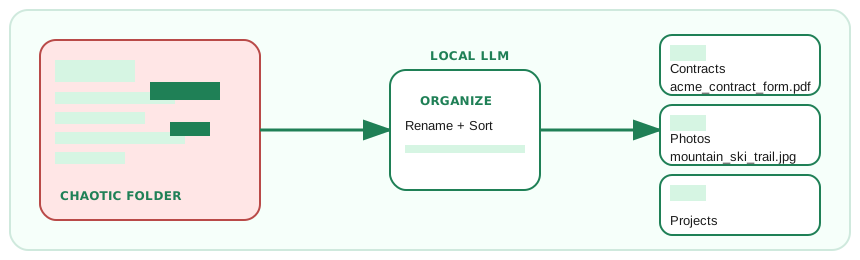
Select a folder, and the app will intelligently suggest categories and subcategories for all your files and folders. For supported picture files, it can generate visual descriptions and filename ideas, and optionally append available image creation dates to category names. For supported documents (PDF, DOCX, XLSX, PPTX, ODT, ODS, ODP, and text formats), it can analyze content to improve naming and sorting. For supported audio/video files, it can suggest filenames using metadata. Use picture-only or document-only modes to focus runs, or start with the dry run preview to see exactly where files would move.
Choose your platform below to get started - whether you prefer cloud power or full local control, you are covered. Remote sorting uses your own OpenAI or Gemini API key, while local LLMs (including LLaVA for images) run entirely offline for privacy.


Windows 10 and higher
MacOS (Apple Silicon M2/M3/M4/M5)

MacOS (Apple Silicon M1)

MacOS (Intel CPU)

Linux Debian


Linux Ubuntu 24.04


Why Choose AI FileSorter?
- local LLaVA image analysis for picture files (visual LLM)
- Document content analysis for PDFs, Office files, and common text formats
- Rename-only flows with suggested filenames and clear Renamed / Renamed & Moved status labels
- Optional metadata-based filename suggestions for supported audio and video files
- Picture-only or document-only processing toggles to focus runs
- Optional image creation-date suffixes for time-aware categories
- System compatibility check that helps pick the best LLM for your hardware
- Custom API endpoints in the LLM selector for local servers or self-hosted gateways
- Progress is saved as you go so long runs are resilient to interruptions
- Preview-only dry run with a From/To table so nothing moves until you say so
- Persistent Undo: revert the latest sort even after closing, thanks to saved plan files
- Bring your own OpenAI or Gemini API key for remote LLMs; pick any ChatGPT or Gemini model
- Add custom local LLMs and download local models in one click (Mistral 7B, LLaMA 3B)
- Switch between More Refined and More Consistent categorization modes
- Whitelist categories and sort review items by file names, categories, or subcategories
- Multilingual categorization labels and UI languages (NL, FR, DE, IT, PL, PT, ES, TR, KR)
- GPU acceleration via CUDA and Vulkan for NVIDIA, AMD, and Intel cards
- Secure and private: your data stays on your machine
- Cross-platform and open source: available for Windows, macOS, and Linux (see GitHub)
Stay Updated!
Subscribe to receive updates about new features and releases of AI File Sorter.
You can unsubscribe anytime.